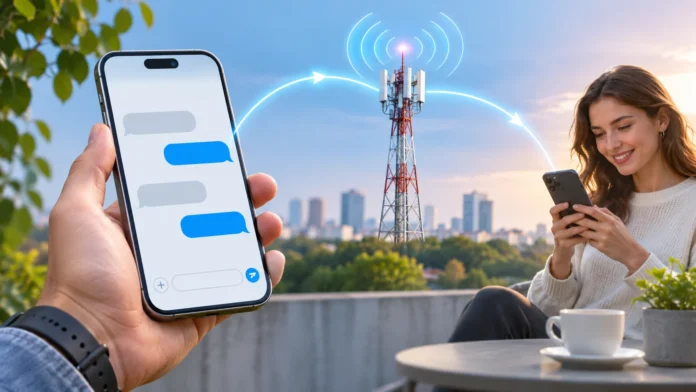
So, what does text message SMS mean? SMS stands for Short Message Service, a communication technology that allows people to send and receive text messages through mobile networks without needing mobile data.
Although modern messaging apps have become popular, SMS remains a practical way to stay connected. From appointment reminders to bank notifications, people use it every day. Understanding how SMS works can help you avoid common messaging problems and communicate more confidently.
What Does Text Message SMS Mean?
SMS stands for Short Message Service, a technology designed to send short text messages between mobile devices. It is one of the most widely supported forms of mobile communication. Most mobile phones have built-in support for sending and receiving SMS messages.
Unlike internet-based messaging applications, traditional SMS uses your mobile carrier’s network. You do not need to download a separate application or create an online account. A compatible phone, an active mobile service, and network access are usually enough.
For example, suppose you want to remind a family member about a meeting. You can type a short message, enter their phone number, and press send. Your mobile network handles the delivery process, making everyday communication simple and convenient.
How Does SMS Work?
Sending a text message takes only a few seconds, but several processes happen behind the scenes. Your mobile device communicates with your carrier’s network to transfer the message. The network then finds the appropriate route to the recipient.
The Short Message Service Center, commonly known as SMSC, plays an important role in this process. It helps process, store, and forward messages between mobile devices. If the recipient is temporarily unavailable, the system may attempt delivery again later.
Here is how a typical SMS message travels:
- You write a message using your phone’s messaging application.
- Your device sends the message to your mobile network.
- The network processes it through its messaging infrastructure.
- The recipient’s mobile network receives the message.
- The message arrives in the recipient’s messaging application.
Think of SMS as a digital postal service. Your phone prepares the letter, while the mobile network acts as the delivery service. However, successful delivery depends on factors such as network availability and carrier support.
What Is an SMS Text Message Used For?
Many people think SMS is only useful for chatting with friends and family. However, businesses, schools, healthcare providers, and financial institutions also depend on text messaging. Its simplicity makes it suitable for many everyday communication needs.
For example, a dental clinic might send an appointment reminder before your scheduled visit. An online store may notify you when your order has been dispatched. Similarly, a bank might send a security alert after an unusual transaction.
Common uses of SMS include:
- Personal conversations.
- Appointment reminders.
- Order and delivery updates.
- Banking notifications.
- Account verification codes.
- School announcements.
- Customer service notifications.
- Emergency alerts, where supported.
SMS is especially useful when information needs to be delivered in a short and straightforward format. Recipients can read the message without opening a website or downloading an application. This makes communication more accessible to people using different mobile devices.
What Is the Character Limit of an SMS Message?
Have you ever written a long text message and wondered why your phone treats it as multiple messages? Traditional SMS has a limited amount of space available for each message. The number of characters depends on how your text is encoded.
A standard SMS can contain up to 160 characters when it uses the GSM-7 character set. Messages containing certain emojis, special symbols, or characters from other languages may have a limit of 70 Unicode code units per segment. These limits result from how SMS stores information.
Modern smartphones can combine multiple SMS segments into one continuous conversation. Although the recipient may see a single long message, your carrier might count it as several messages. This could affect your messaging charges if your mobile plan does not include unlimited texting.
Keeping important SMS messages short can improve readability and reduce unnecessary segments. It is particularly helpful when sending business notifications, reminders, or updates that do not require lengthy explanations.
Does SMS Work Without an Internet Connection?
Losing internet access can make communication difficult, especially when you depend on online messaging applications. However, traditional SMS does not require a mobile data connection. It typically uses your carrier’s cellular network to deliver text messages.
This means you can often send an SMS even when mobile data and Wi-Fi are turned off. Your phone still needs access to a compatible mobile network unless your carrier supports SMS through Wi-Fi calling. Without a supported connection, delivery may fail or be delayed.
Imagine traveling through an area where mobile internet is slow or unavailable. An internet-based messaging application might struggle to send your message, while SMS could still work if cellular service is available. However, no messaging method guarantees delivery in every situation.
Remember that turning off mobile data is different from turning on airplane mode. Airplane mode generally disables cellular connectivity, which can prevent traditional SMS from working unless a supported alternative connection is available.
What Is the Difference Between SMS and MMS?
You might notice that some text messages contain pictures, videos, or audio files. These messages may use a different technology called Multimedia Messaging Service, or MMS. Understanding the difference helps you choose the appropriate messaging option.
SMS primarily supports text-based communication, while MMS supports multimedia content. Sending a photograph through your phone’s default messaging application may use MMS when newer messaging services are unavailable. Carrier settings and device compatibility determine how the message is sent.
Here is a simple comparison:
| Feature | SMS | MMS |
|---|---|---|
| Full form | Short Message Service | Multimedia Messaging Service |
| Content | Text | Text, images, video, and audio |
| Character limit | Typically 160 GSM-7 characters | Varies by carrier |
| Connectivity | Mobile carrier service | Carrier multimedia data service |
| Device support | Very broad | Compatible devices required |
| Cost | Depends on mobile plan | Depends on mobile plan |
| Best use | Short messages | Multimedia sharing |
If you only need to send a reminder or a quick question, SMS is usually sufficient. For photographs or other multimedia files, MMS may be more suitable. Always check your mobile plan to understand potential charges.
What Is the Difference Between SMS and RCS?
Traditional text messaging can feel limited when you want to share large files or see whether someone has read your message. Rich Communication Services, commonly called RCS, helps address some of these limitations. It brings more advanced features to supported messaging applications.
RCS can support high-quality media sharing, typing indicators, group conversations, and read receipts. Unlike traditional SMS, it generally requires an internet connection. Feature availability depends on the device, messaging application, carrier, and recipient’s configuration.
The main differences between SMS and RCS include:
- Connectivity: Traditional SMS does not require mobile data, while RCS uses internet connectivity.
- Media sharing: RCS supports richer multimedia communication.
- Read receipts: RCS may show when someone reads your message.
- Typing indicators: RCS can display when someone is typing.
- Compatibility: SMS works across a broader range of mobile phones.
- Security: Encryption capabilities vary across RCS implementations, while traditional SMS lacks end-to-end encryption.
SMS remains useful when advanced messaging services are unavailable. Some messaging applications can fall back to SMS when RCS cannot deliver a message, depending on your settings.
What Are the Benefits of SMS Messaging?
With so many communication applications available, you may wonder why people still use SMS. The answer lies in its simplicity, broad compatibility, and accessibility. It allows people to communicate without relying on a particular internet-based application.
One major advantage of SMS messaging is that recipients generally do not need to install additional software. Most smartphones and basic mobile phones already support text messaging. This makes SMS suitable for people with different levels of technical knowledge.
The key benefits of SMS include:
- Simple and easy-to-use communication.
- Broad mobile device compatibility.
- No separate messaging account required.
- No mobile data requirement for traditional SMS.
- Convenient access to important notifications.
- Useful communication across different mobile carriers.
Businesses also benefit from sending short and relevant updates through SMS. Customers can receive appointment reminders, delivery information, and service notifications directly on their phones. However, responsible businesses should respect customer consent and communication preferences.
What Are the Limitations of SMS Text Messaging?
Although SMS is convenient, it cannot meet every communication need. Its limited message length, basic features, and privacy concerns can create challenges. Understanding these limitations helps you decide when another communication method would be more suitable.
Traditional SMS does not provide end-to-end encryption. This means it should not be treated as a secure channel for exchanging confidential information. Sharing passwords, sensitive documents, or private financial information through SMS is generally not recommended.
Other limitations of SMS include:
- Restricted character capacity per message segment.
- No native multimedia support.
- Possible delivery delays during network problems.
- Potential international messaging charges.
- Limited delivery confirmation features.
- Exposure to spam and fraudulent messages.
SMS delivery is also not guaranteed. A disconnected phone, network congestion, incorrect number, or carrier restriction may prevent a message from arriving. For urgent communication, consider confirming delivery or contacting the recipient through another appropriate method.
Why Is My SMS Message Not Sending?
Few things are more frustrating than sending an important message and seeing a delivery failure notification. You might assume your phone is damaged, but the problem could have a simple explanation. Network issues, incorrect settings, or account restrictions are common causes.
Start by checking whether your phone has a cellular signal and whether airplane mode is turned off. Make sure the recipient’s phone number is correct, including the country code when necessary. You should also confirm that your mobile plan supports outgoing SMS messages.
Try these troubleshooting steps:
- Check your mobile network signal.
- Turn off airplane mode.
- Restart your mobile phone.
- Verify the recipient’s phone number.
- Check your mobile account balance or messaging plan.
- Review your messaging application settings.
- Install available device updates.
- Contact your mobile service provider if the issue continues.
Avoid repeatedly sending the same message when delivery is uncertain. This could result in duplicate messages or additional charges. If the communication is urgent, consider calling the recipient instead.
Is SMS Messaging Safe and Secure?
Receiving a message from an unfamiliar phone number can make you question whether it is genuine. Unfortunately, scammers sometimes use SMS to impersonate trusted businesses and organizations. This type of fraudulent activity is commonly known as smishing.
Scammers may send messages claiming that your bank account has a problem or that a package requires an additional payment. These messages often create a false sense of urgency. Their purpose may be to collect personal information or persuade you to visit an unsafe website.
Follow these SMS safety practices:
- Avoid opening suspicious links.
- Never share passwords through text messages.
- Do not give verification codes to other people.
- Verify unexpected payment requests independently.
- Block and report suspicious senders.
- Contact organizations through their official channels.
SMS can be useful for everyday communication, but it is important to remain cautious. Even a familiar-looking sender name does not guarantee that a message is genuine. Always verify unexpected requests before sharing information or making payments.
How Much Does Sending an SMS Cost?
Unexpected mobile charges can be frustrating, especially when you believe text messaging is free. The cost of sending an SMS depends on your mobile carrier, subscription, destination, and messaging plan. Some plans include unlimited texts, while others charge per message.
International SMS messages may cost more than domestic messages. Long messages can also be divided into multiple segments, potentially increasing charges on pay-per-message plans. Additional fees may apply when using certain services while traveling abroad.
Before sending international or lengthy text messages, review your carrier’s pricing information. Check whether your plan includes international texting and roaming services. Understanding these details can help you communicate without unnecessary expenses.
If you regularly send many text messages, a mobile plan with an appropriate messaging allowance may be more convenient. Choose a plan based on your actual communication needs.
How Do Businesses Use SMS Messaging?
Businesses often struggle to keep customers informed without overwhelming them with emails or phone calls. SMS provides a straightforward channel for delivering short, relevant information. Customers can receive updates directly through their phone’s messaging application.
For example, an online retailer can send an order confirmation after a customer completes a purchase. A restaurant can send a reservation reminder before a scheduled visit. Service providers can also notify customers about changes to their appointments.
Businesses commonly use SMS for:
- Transaction confirmations.
- Appointment reminders.
- Delivery notifications.
- Customer service updates.
- Account security alerts.
- Promotional messages with appropriate consent.
- Reservation confirmations.
Effective business SMS communication should be clear, timely, and relevant. Companies should obtain appropriate consent, respect privacy, and provide opt-out options where required. Sending useful information rather than excessive promotional messages helps maintain customer trust.
Conclusion
Understanding what text message SMS means makes everyday mobile communication much easier. Short Message Service allows people to exchange text messages through supported mobile networks. Its simplicity makes it useful even when internet-based messaging services are unavailable.
Although technologies such as MMS and RCS provide more advanced features, SMS continues to serve an important purpose. It supports personal conversations, business notifications, appointment reminders, and account alerts. However, users should understand its limitations, potential charges, and security risks.
Start by exploring your phone’s messaging settings and checking your mobile plan. Learn when your device uses SMS, MMS, or RCS to deliver messages. With this knowledge, you can choose the right communication method for different situations.
Frequently Asked Questions
1. What does SMS stand for in texting?
SMS stands for Short Message Service. It is a mobile communication technology that allows users to send and receive short text messages through compatible mobile networks.
2. Is SMS the same as a text message?
SMS is a type of text message, but not every text message uses SMS. Modern messaging applications may also use MMS, RCS, or internet-based messaging technologies.
3. Can I send an SMS without mobile data?
Yes, traditional SMS does not require mobile data or Wi-Fi. However, your phone generally needs an active mobile service and access to a compatible cellular network.
4. How do I know if someone has read my SMS?
Traditional SMS does not normally provide read receipts. Some carriers support delivery reports, but these only indicate delivery and do not confirm that the recipient has read your message.
5. Why does my phone say sent as SMS?
This usually means your phone delivered or attempted to deliver the message using traditional text messaging instead of an internet-based messaging service such as RCS or iMessage.